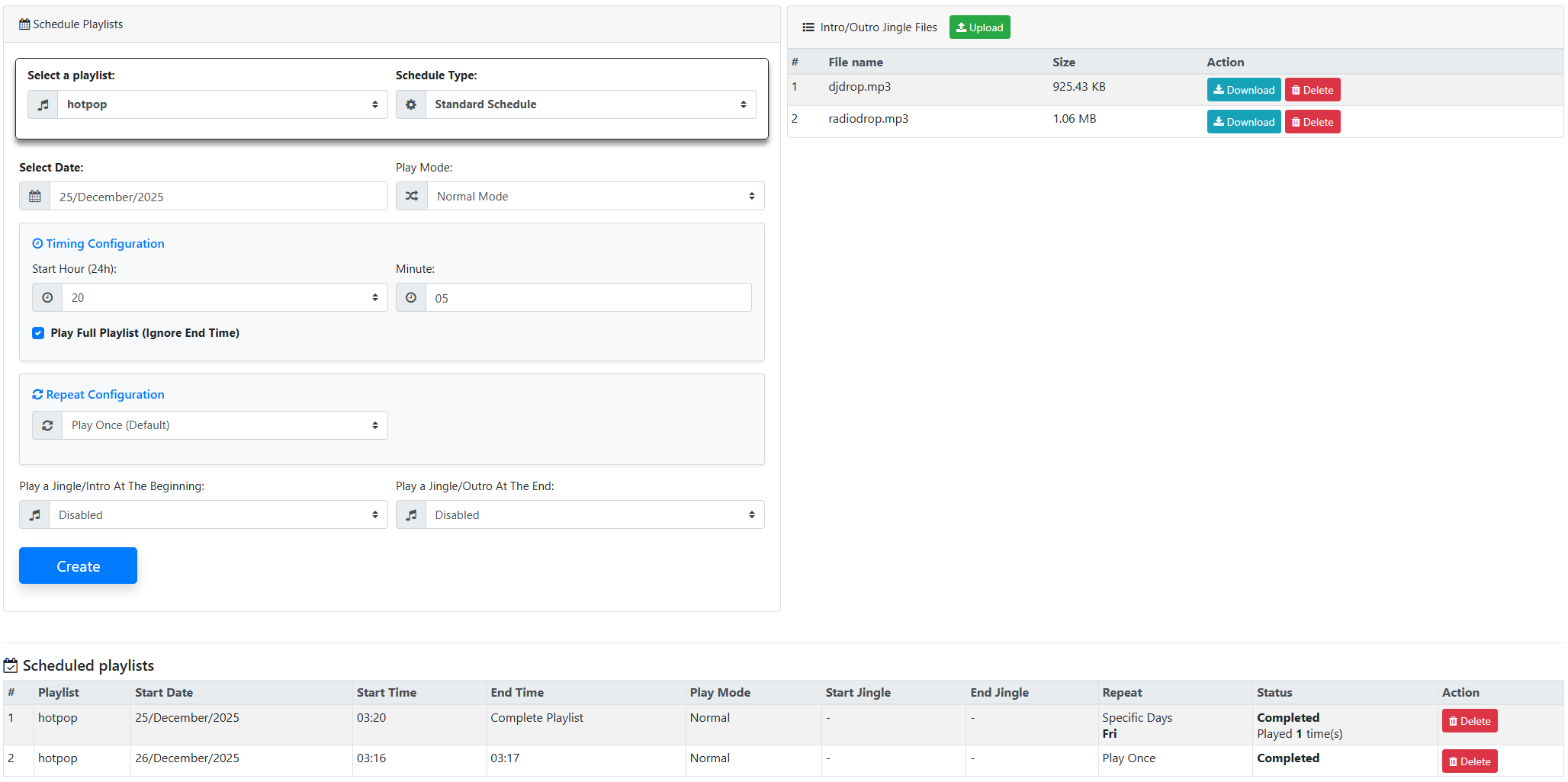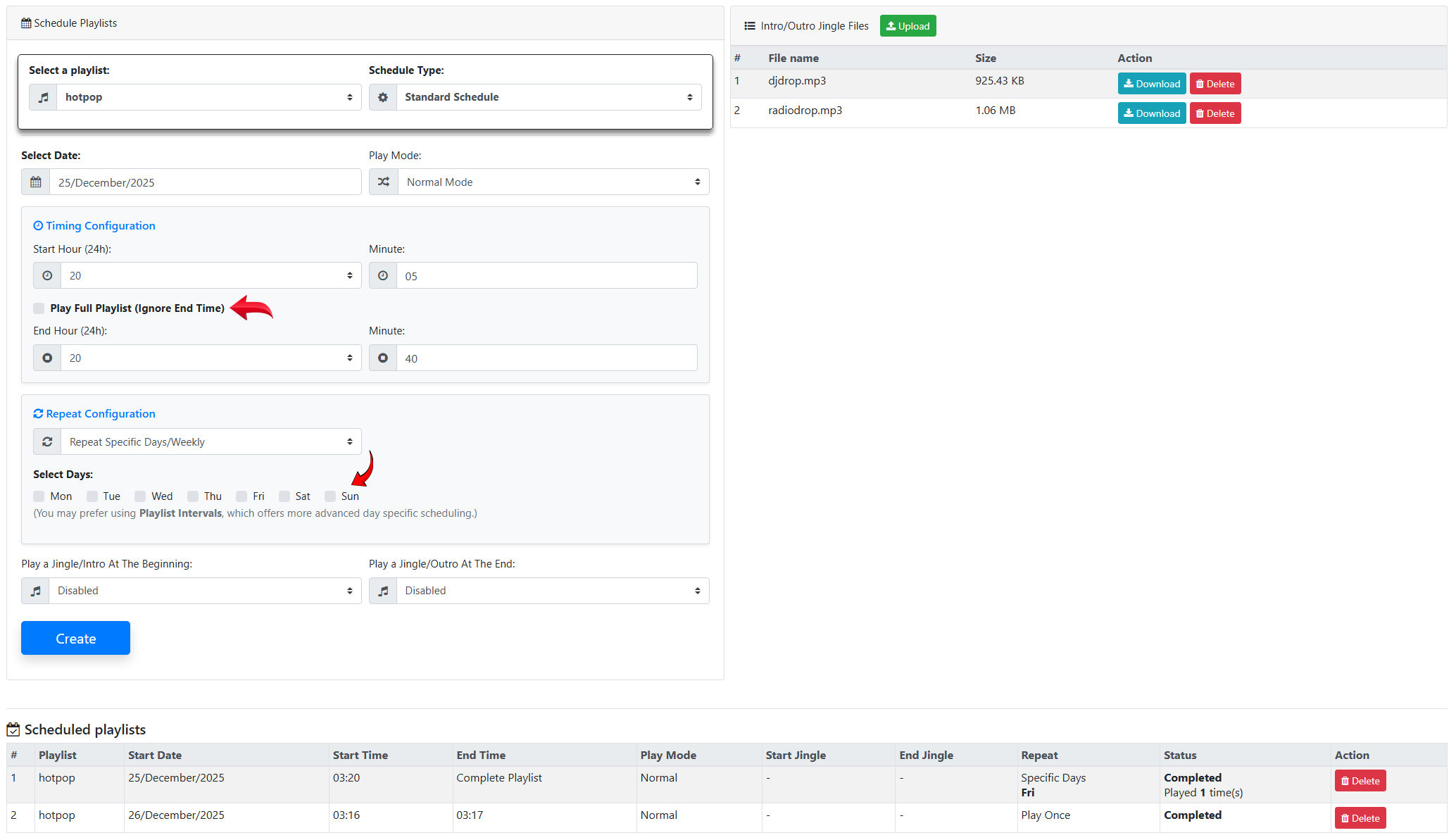
With the latest SonicPlayer update, the Schedule Playlists feature has been significantly enhanced. Thanks to these improvements, broadcast scheduling is now much more flexible, precise, and easier to manage.
New Scheduling Options
With the new system, playlists can now be scheduled:
-
To repeat on selected specific days
-
By defining start and end times
-
Or by using the Play Full Playlist option
This provides much greater control over how and when playlists are played.
Time controls have also been improved:
-
Hour and minute fields are now separated
-
24-hour time selection is easier
-
The minute field allows manual input
-
The previous 5-minute limitation has been removed
In addition, the scheduling system now supports root shared playlists.
End Time Support
The Schedule Playlists feature now includes End Time support.
-
You can define an end time for a playlist
-
Or allow the playlist to play until completion using the Play Full Playlist (Ignore End Time) option
This option is enabled by default.
All scheduled playlists are displayed on a single page, making it easier to:
-
View existing schedules
-
Edit and manage playlists efficiently
Changes to the Jingles / IDs Structure
The old jingles previously used with the Jingles / IDs Pro feature have been discontinued.
These jingles have now been moved to the Schedule Playlists page. From this page, users can:
-
Access jingle files
-
Download jingles
-
Delete existing jingles
Additionally, new jingles can be uploaded from this section and used as:
-
Intro audio for playlists
-
Outro audio for playlists
Using Jingles with Playlist Intervals
The Playlist Intervals feature now supports all playlists, including jingle playlists.
This allows you to:
-
Create dedicated jingle playlists
-
Use them with Playlist Intervals just like the old Jingles / IDs system
-
Build more advanced and flexible broadcast scheduling scenarios